Plus: Apple makes big claims about the effectiveness of its Lockdown Mode anti-spyware feature, Russia moves to implement homegrown encryption for 5G, and more.
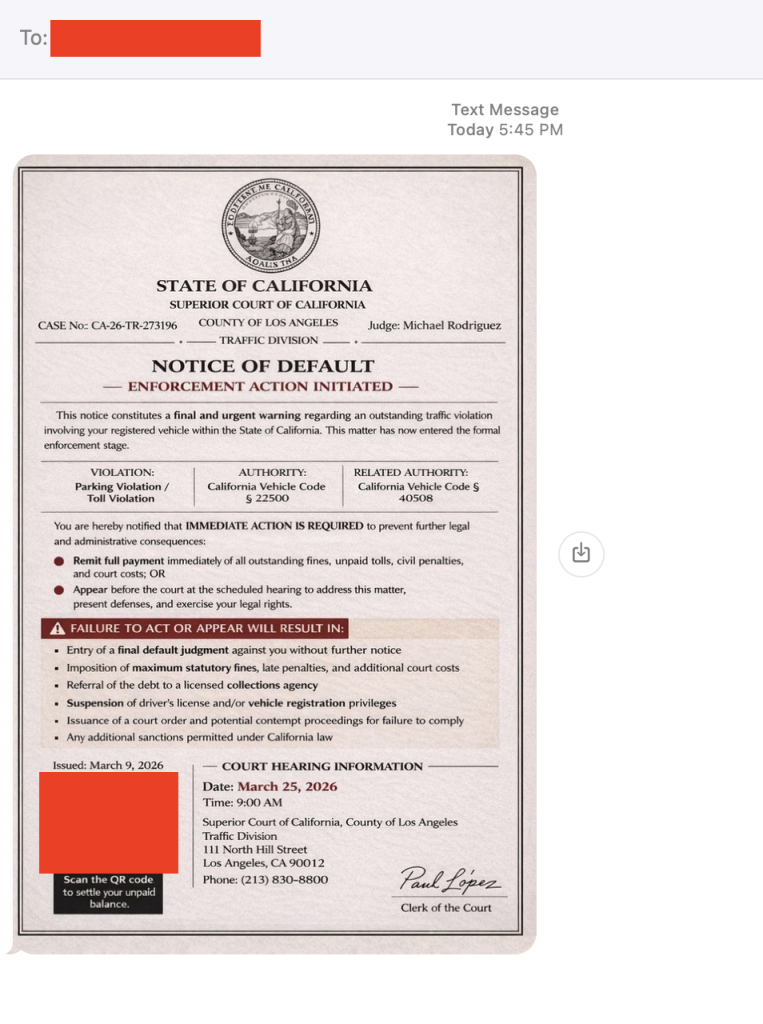
A text that looks like it came straight from a courthouse is making the rounds across the U.S. And yes, I got it too.
First things first, that’s a scam. And to be clear: DON’T SCAN THAT QR CODE.
It’s the same playbook as last year’s toll road scams, just dressed up with a little more authority and a lot more pressure.
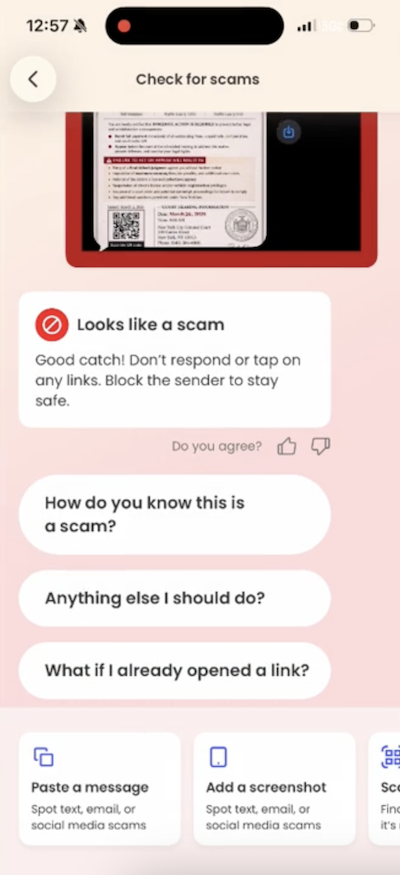
Before doing anything, our team ran it through McAfee’s Scam Detector. It immediately flagged the message as suspicious, and that’s exactly the kind of moment this tool is built for. When something feels just real enough to second guess, it gives you a clear signal before you click, scan, or spiral.
A screenshot showing Scam Detector in action.
How the scam works
The text claims you’ve missed a payment, violated a law, or have some kind of outstanding “case.” It then pushes you to scan a QR code or click a link to resolve it quickly.
From there, one of two things usually happens:
You’re taken to a fake payment page designed to steal your money, or
You’re prompted to download something that gives scammers access to your device or data
Either way, the goal is the same: get you to act fast before you have time to question it.
Here’s the scam text I got in California. You’ll notice it looks exactly like the others across the country.
The red flags in this message
Urgent, threatening language about fines, penalties, or legal action
Vague accusations with no real details about what you supposedly did
Official-looking formatting like case numbers, clerk signatures, and judge names
Copy-paste consistency across states: McAfee employees in New York and California received nearly identical messages with the same names
There are reports of this scam popping up nationwide, but the rule is simple: law enforcement does not text you to demand payment or resolve legal issues.
What to do if you scanned the QR code
First, don’t panic. Then:
Do not pay anything or enter personal information
Do not delete apps you were told to install (this can make it harder to detect what happened)
Run a device scan using a trusted security tool like McAfee’s free antivirus
Keep an eye on your financial accounts and logins for unusual activity
And that, my friends, is scam number one in this week’s This Week in Scams (new format, we’re experimenting a little).
Let’s get into what else is on our radar.
What to Know About an Alleged Crunchyroll Breach
Anime streaming platform Crunchyroll is investigating claims of a data breach involving customer support ticket data, potentially impacting millions of users.
According to TechCrunch, access appears to involve a third-party vendor system, a reminder that even strong security setups still rely on people and partners, which can introduce risk in everyday moments.
Even if you’ve never entered your credit card into a support form, these tickets can still include:
Email addresses
Usernames
Screenshots or account details
Conversations that reveal habits, subscriptions, or personal context
That’s more than enough for scammers to build highly believable follow-ups.
Why this matters right now
When breaches like this surface, scammers don’t wait. They use the moment to send emails and messages that feel timely, relevant, and legitimate.
For example, scammers might send messages pretending to be Crunchyroll and suggesting you “click this link to secure your account” after the breach. In reality, that “security check” exposes your information.
This is where tools like Scam Detector come back into play, flagging suspicious links and messages even when they reference real companies or real events.
What to do if you have a Crunchyroll account
Change your password, especially if you’ve reused it elsewhere
Turn on two-factor authentication
Be cautious of emails referencing the breach or asking you to “secure your account”
Avoid clicking links and go directly to the official site instead
How McAfee Helps You Stay Ahead of Scams and Breaches
McAfee+ Advanced gives you multiple layers working together so you’re not left figuring it out in the moment:
Scam Detector flags suspicious texts, emails, links, and even deepfake videos before you engage
Safe Browsing helps block risky sites if you do click or scan
Device Security helps detect and remove malicious apps or downloads
Identity Monitoring alerts you if your personal info shows up where it shouldn’t, so you can act fast
Personal Data Cleanup helps remove your information from data broker sites, making you a harder target in the first place
Secure VPN keeps your data private, especially on public Wi-Fi
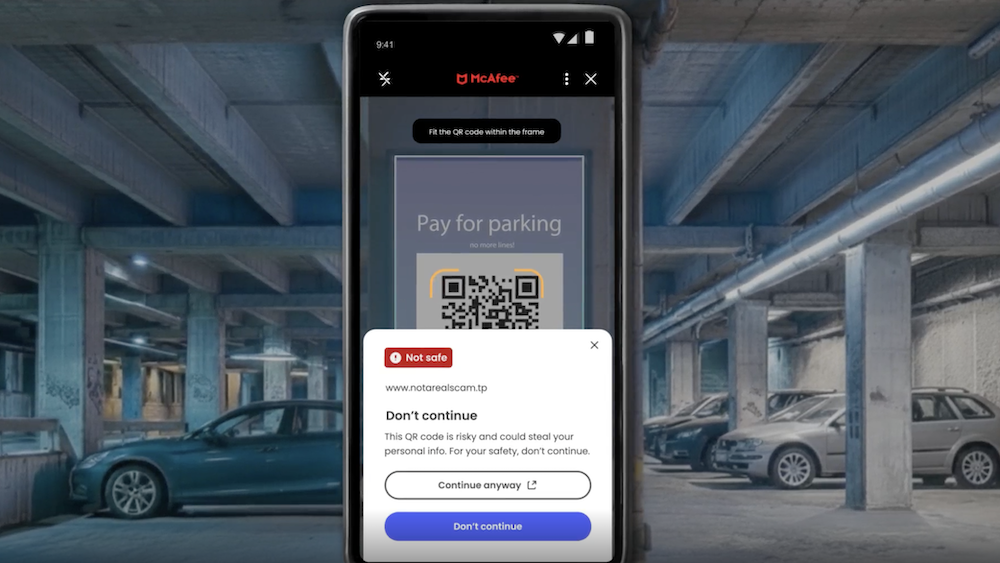
Plus our instant QR code scam checks will flag suspicious QR codes before you scan them.
Safety tips to carry into next week
Slow down when a message creates urgency. That’s the hook
Don’t scan QR codes or click links from unexpected texts
Go directly to official websites instead of using links sent to you
Use tools that flag scams in real time so you don’t have to guess
The reality is, these scams are designed to look normal. You shouldn’t have to be an expert to spot them. That’s why McAfee’s here to help.
We’ll be back next week with more scams making headlines.
Experts say that an American ground operation targeting nuclear sites in Iran would be incredibly complicated, put troops’ lives at great risk—and might still fail.
The Telegram-based Xinbi Guarantee black market sells services that help prop up scam operations. British officials just hit the highly lucrative marketplace with sweeping sanctions.
US lawmakers are pressing Tulsi Gabbard to reveal whether using a VPN can strip Americans of their constitutional protections against warrantless surveillance.
From drones to missiles to submarines, the $30.5 billion defense startup wants to transform how the tools of war are made. It’s not all going as planned.
As war reshapes the Gulf, the satellite infrastructure the world relies on to see conflict clearly is being delayed, spoofed, and privately controlled—and nobody is sure who is responsible.
The crowdsourced website and app Mahsa Alert provides citizens in Iran with crucial information amid the country’s ongoing war with the US and Israel—and an internet blackout.
Attachment to smart devices and biometric surveillance leaves Americans more vulnerable to police searches than ever. Left unchecked it will only get worse.
Under a Homeland Security program, police departments around the US are signing up to assist in immigration enforcement. The cops of Carroll, New Hampshire, are going all in—and they’re likely not alone.
First heard as US and Israeli strikes on Iran began, the shortwave broadcast has since been traced to a US military base in Germany—but its purpose and its operator remain unclear.
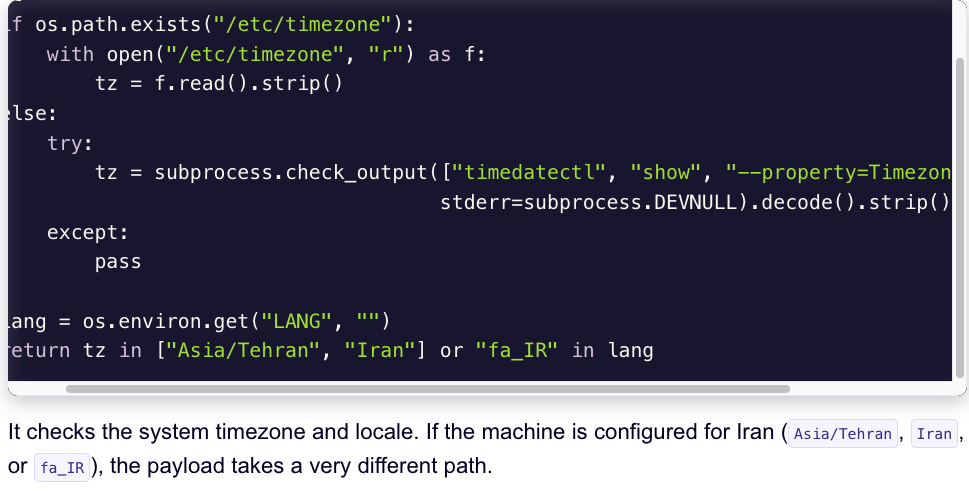
A financially motivated data theft and extortion group is attempting to inject itself into the Iran war, unleashing a worm that spreads through poorly secured cloud services and wipes data on infected systems that use Iran’s time zone or have Farsi set as the default language.
Experts say the wiper campaign against Iran materialized this past weekend and came from a relatively new cybercrime group known as TeamPCP. In December 2025, the group began compromising corporate cloud environments using a self-propagating worm that went after exposed Docker APIs, Kubernetes clusters, Redis servers, and the React2Shell vulnerability. TeamPCP then attempted to move laterally through victim networks, siphoning authentication credentials and extorting victims over Telegram.
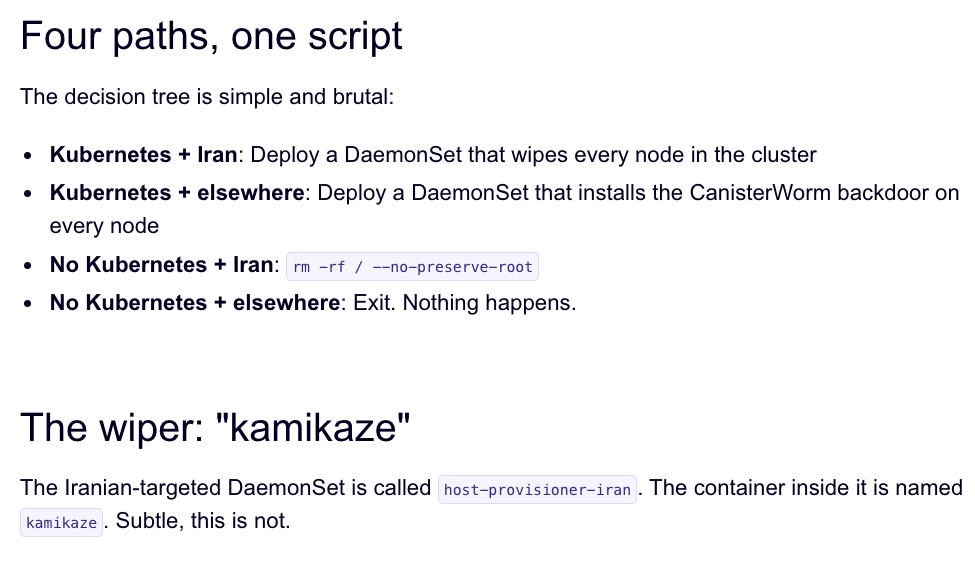
A snippet of the malicious CanisterWorm that seeks out and destroys data on systems that match Iran’s timezone or have Farsi as the default language. Image: Aikido.dev.
In a profile of TeamPCP published in January, the security firm Flare said the group weaponizes exposed control planes rather than exploiting endpoints, predominantly targeting cloud infrastructure over end-user devices, with Azure (61%) and AWS (36%) accounting for 97% of compromised servers.
“TeamPCP’s strength does not come from novel exploits or original malware, but from the large-scale automation and integration of well-known attack techniques,” Flare’s Assaf Moragwrote. “The group industrializes existing vulnerabilities, misconfigurations, and recycled tooling into a cloud-native exploitation platform that turns exposed infrastructure into a self-propagating criminal ecosystem.”
On March 19, TeamPCP executed a supply chain attack against the vulnerability scanner Trivy from Aqua Security, injecting credential-stealing malware into official releases on GitHub actions. Aqua Security said it has since removed the harmful files, but the security firm Wiz notes the attackers were able to publish malicious versions that snarfed SSH keys, cloud credentials, Kubernetes tokens and cryptocurrency wallets from users.
Over the weekend, the same technical infrastructure TeamPCP used in the Trivy attack was leveraged to deploy a new malicious payload which executes a wiper attack if the user’s timezone and locale are determined to correspond to Iran, said Charlie Eriksen, a security researcher at Aikido. In a blog post published on Sunday, Eriksen said if the wiper component detects that the victim is in Iran and has access to a Kubernetes cluster, it will destroy data on every node in that cluster.
“If it doesn’t it will just wipe the local machine,” Eriksen told KrebsOnSecurity.
Image: Aikido.dev.
Aikido refers to TeamPCP’s infrastructure as “CanisterWorm” because the group orchestrates their campaigns using an Internet Computer Protocol (ICP) canister — a system of tamperproof, blockchain-based “smart contracts” that combine both code and data. ICP canisters can serve Web content directly to visitors, and their distributed architecture makes them resistant to takedown attempts. These canisters will remain reachable so long as their operators continue to pay virtual currency fees to keep them online.
Eriksen said the people behind TeamPCP are bragging about their exploits in a group on Telegram and claim to have used the worm to steal vast amounts of sensitive data from major companies, including a large multinational pharmaceutical firm.
“When they compromised Aqua a second time, they took a lot of GitHub accounts and started spamming these with junk messages,” Eriksen said. “It was almost like they were just showing off how much access they had. Clearly, they have an entire stash of these credentials, and what we’ve seen so far is probably a small sample of what they have.”
Security experts say the spammed GitHub messages could be a way for TeamPCP to ensure that any code packages tainted with their malware will remain prominent in GitHub searches. In a newsletter published today titled GitHub is Starting to Have a Real Malware Problem, Risky Business reporter Catalin Cimpanu writes that attackers often are seen pushing meaningless commits to their repos or using online services that sell GitHub stars and “likes” to keep malicious packages at the top of the GitHub search page.
This weekend’s outbreak is the second major supply chain attack involving Trivy in as many months. At the end of February, Trivy was hit as part of an automated threat called HackerBot-Claw, which mass exploited misconfigured workflows in GitHub Actions to steal authentication tokens.
Eriksen said it appears TeamPCP used access gained in the first attack on Aqua Security to perpetrate this weekend’s mischief. But he said there is no reliable way to tell whether TeamPCP’s wiper actually succeeded in trashing any data from victim systems, and that the malicious payload was only active for a short time over the weekend.
“They’ve been taking [the malicious code] up and down, rapidly changing it adding new features,” Eriksen said, noting that when the malicious canister wasn’t serving up malware downloads it was pointing visitors to a Rick Roll video on YouTube.
“It’s a little all over the place, and there’s a chance this whole Iran thing is just their way of getting attention,” Eriksen said. “I feel like these people are really playing this Chaotic Evil role here.”
Cimpanu observed that supply chain attacks have increased in frequency of late as threat actors begin to grasp just how efficient they can be, and his post documents an alarming number of these incidents since 2024.
“While security firms appear to be doing a good job spotting this, we’re also gonna need GitHub’s security team to step up,” Cimpanu wrote. “Unfortunately, on a platform designed to copy (fork) a project and create new versions of it (clones), spotting malicious additions to clones of legitimate repos might be quite the engineering problem to fix.”
Update, 2:40 p.m. ET: Wiz is reporting that TeamPCP also pushed credential stealing malware to the KICS vulnerability scanner from Checkmarx, and that the scanner’s GitHub Action was compromised between 12:58 and 16:50 UTC today (March 23rd).
85% of enterprises are experimenting with AI agents—autonomous systems that lack judgment and disregardconsequences. Cisco announces Zero Trust for AgenticAI, integrating identity, access, and behavioral controlsto secure your adoption of AI.
Discover why 85% of organizations are exploring agentic AI, yet only 5% are in production. Learn how to bridge the agent trust gap with robust security.
Congressman Jim Himes claims a sweeping surveillance authority should stay intact because he hasn't seen abuses by Kash Patel's FBI, according to internal messaging obtained by WIRED.
 Login
Login